
Offline SQL Formatter Free
Format SQL queries with proper indentation.
Runs offline in Devy, a desktop app with 234 developer tools for Windows, macOS and Linux. Free in Devy Tools, with no account and no time limit.
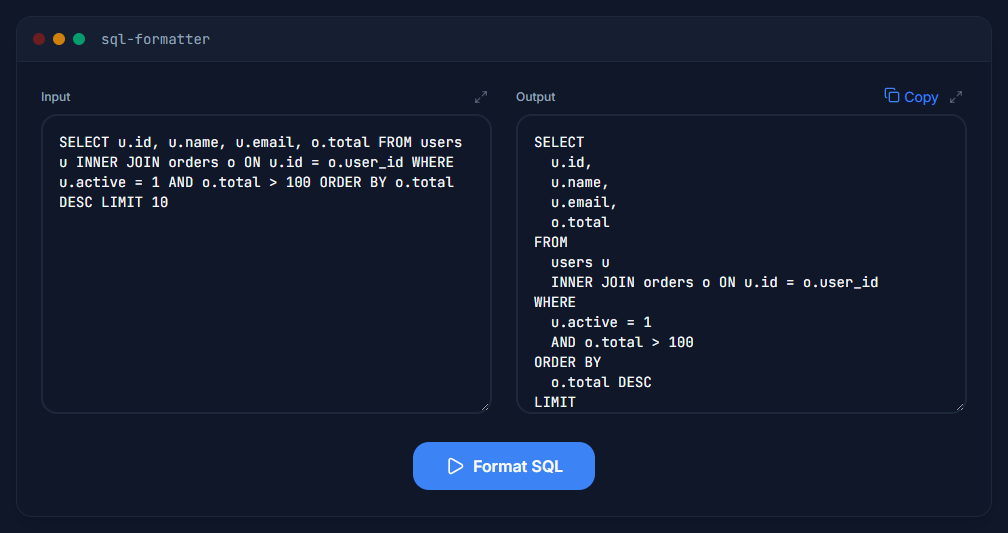
What the SQL Formatter is for
Queries copied from logs, ORMs or monitoring tools usually come as one long line. A SQL formatter puts each clause (SELECT, FROM, JOIN, WHERE, ORDER BY) on its own line and indents the rest, so you can review, debug and share the query.
Example
One-line SQL
SELECT u.id, u.name, o.total FROM users u INNER JOIN orders o ON u.id = o.user_id WHERE u.active = 1 AND o.total > 100 ORDER BY o.total DESC LIMIT 10Formatted
SELECT
u.id,
u.name,
o.total
FROM
users u
INNER JOIN orders o ON u.id = o.user_id
WHERE
u.active = 1
AND o.total > 100
ORDER BY
o.total DESC
LIMIT
10Why use it offline
Formatting is where production data ends up: API responses, config files, query logs. In Devy it never leaves your computer, so you can paste the real thing.
- Nothing you paste or open is uploaded
- Works on a plane, behind a VPN or with no network
- No ads, no sign-up, opens in a second
How to use the SQL Formatter
- Download Devy for Windows, macOS or Linux and open it.
- Search for “SQL Formatter” on the home screen, or open the Formatters category.
- Paste your input or open a file, then copy or save the result.
Good to know
- Formatting doesn't change what the query does; it only changes whitespace.
- Queries from production logs often contain real customer values. Formatting them offline keeps those values on your computer.
- To switch keywords between UPPER and lower case, use the SQL Case Converter.
More formatters tools in Devy
Questions
Does it support MySQL, PostgreSQL and SQL Server?
Yes, for the common syntax they share: SELECT, INSERT, UPDATE, DELETE, joins, subqueries and CTEs.
Is the SQL Formatter free?
Yes. The SQL Formatter is one of the 45 tools in Devy's free plan. There's no account, no trial to run out and no limit on use.
Does it send my data anywhere?
No. The SQL Formatter runs inside the Devy desktop app on your computer. What you paste or open isn't uploaded, logged or shared, and it works with no internet connection.
Which computers does it run on?
Windows, macOS and Linux. Download Devy from this site or install it from the Microsoft Store.