
Offline Base64 Encoder Free
Encode plain text or binary data to a Base64 string instantly — supports full UTF-8.
Runs offline in Devy, a desktop app with 234 developer tools for Windows, macOS and Linux. Free in Devy Tools, with no account and no time limit.
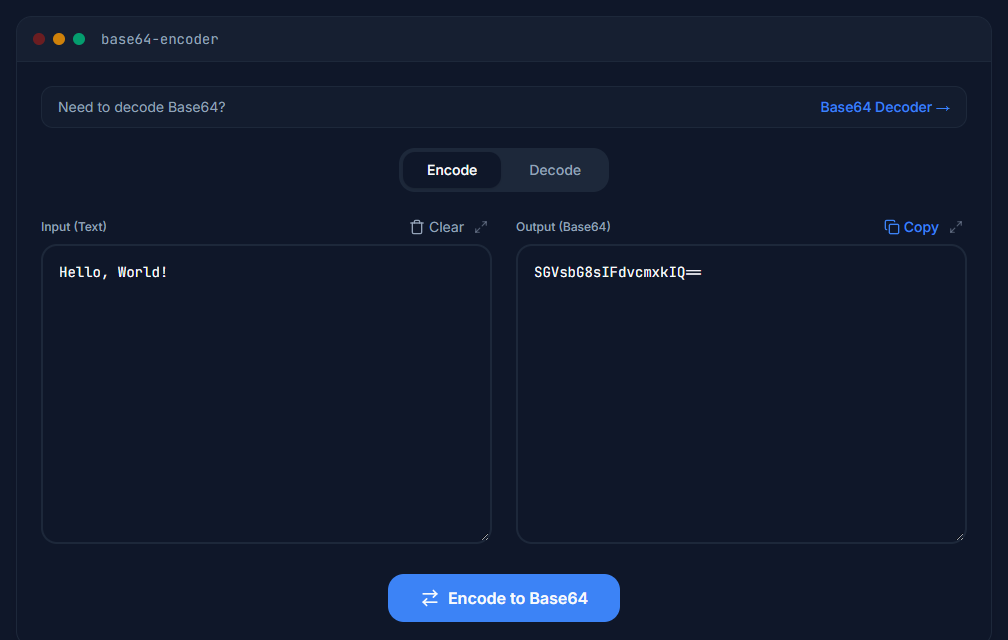
What the Base64 Encoder is for
Base64 turns any data (text, an image, a key) into plain ASCII letters, digits, + and /, so it can travel through systems built for text: JSON, HTTP headers, email, data URIs and environment variables.
Devy encodes text as UTF-8 first, so accented letters and emoji encode correctly, unlike tools that only handle ASCII.
Example
Text
Hello, Devy!Base64
SGVsbG8sIERldnkhNon-ASCII text works too: "café ☕" encodes to Y2Fmw6kg4piV.
Why use it offline
Encoded strings are often tokens, cookies and credentials. Decode them on your own computer instead of a website that could log what you paste.
- Nothing you paste or open is uploaded
- Works on a plane, behind a VPN or with no network
- No ads, no sign-up, opens in a second
How to use the Base64 Encoder
- Download Devy for Windows, macOS or Linux and open it.
- Search for “Base64 Encoder” on the home screen, or open the Encoding & Decoding category.
- Paste your input or open a file, then copy or save the result.
Good to know
- Base64 is an encoding, not encryption: anyone can decode it. Don't use it to hide secrets.
- Encoded data is about a third larger than the original.
- The = signs at the end are padding to make the length a multiple of 4. Some systems (such as JWTs) leave them out.
- URLs and file names need the Base64url variant, which uses - and _ instead of + and /.
More encoding & decoding tools in Devy
Questions
How do I encode an image or other file?
Use Devy's Image → Base64 Converter for images (it gives you a ready-to-use data URI). This tool is for text.
Why does my Base64 differ from another tool's?
Usually a different character encoding (UTF-8 vs Latin-1 or UTF-16), a trailing newline in the input, or the URL-safe alphabet. Devy uses UTF-8 and encodes exactly what you paste.
Is the Base64 Encoder free?
Yes. The Base64 Encoder is one of the 45 tools in Devy's free plan. There's no account, no trial to run out and no limit on use.
Does it send my data anywhere?
No. The Base64 Encoder runs inside the Devy desktop app on your computer. What you paste or open isn't uploaded, logged or shared, and it works with no internet connection.
Which computers does it run on?
Windows, macOS and Linux. Download Devy from this site or install it from the Microsoft Store.