
Offline Timestamp Converter Free
Convert Unix timestamps to readable dates.
Runs offline in Devy, a desktop app with 234 developer tools for Windows, macOS and Linux. Free in Devy Tools, with no account and no time limit.
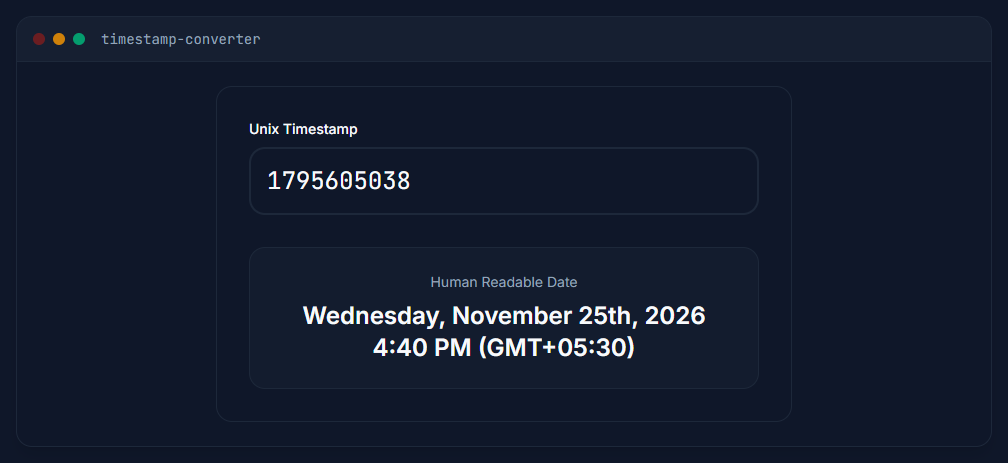
What the Timestamp Converter is for
A Unix timestamp counts seconds since 1 January 1970 UTC. Databases, logs, JWTs and APIs use it because it doesn't depend on time zones or date formats, but people can't read it at a glance.
Devy converts timestamps to readable dates in your local time zone and dates back to timestamps.
Example
Unix timestamp
1795599000Date
Wednesday, 25 November 2026, 09:30:00 UTC
(15:00 in India, 04:30 in New York)
Why use it offline
Quick conversions that open instantly, work offline and don't come with ads or trackers.
- Nothing you paste or open is uploaded
- Works on a plane, behind a VPN or with no network
- No ads, no sign-up, opens in a second
How to use the Timestamp Converter
- Download Devy for Windows, macOS or Linux and open it.
- Search for “Timestamp Converter” on the home screen, or open the Converters category.
- Paste your input or open a file, then copy or save the result.
Good to know
- 13 digits means milliseconds (JavaScript's Date.now()), 10 digits means seconds. Mixing them up gives dates in 1970 or far in the future.
- A timestamp is always UTC. Only the displayed date depends on the time zone.
- Systems that store timestamps as signed 32-bit integers overflow on 19 January 2038.
More converters tools in Devy
Questions
How do I get the current timestamp in code?
JavaScript: Math.floor(Date.now() / 1000). Python: int(time.time()). PHP: time(). SQL (MySQL): UNIX_TIMESTAMP(). Shell: date +%s.
Is the Timestamp Converter free?
Yes. The Timestamp Converter is one of the 45 tools in Devy's free plan. There's no account, no trial to run out and no limit on use.
Does it send my data anywhere?
No. The Timestamp Converter runs inside the Devy desktop app on your computer. What you paste or open isn't uploaded, logged or shared, and it works with no internet connection.
Which computers does it run on?
Windows, macOS and Linux. Download Devy from this site or install it from the Microsoft Store.