
Offline MySQL CLI → HTML Table Pro
Paste MySQL CLI query output (the +----+------+ border format) and convert it to a polished HTML table. Supports all formatting options: themes, responsive, hover, alignment, caption, borders, compact.
Runs offline in Devy, a desktop app with 234 developer tools for Windows, macOS and Linux. Included in Devy Tools Pro ($9 one-time), and in the 14-day free trial.
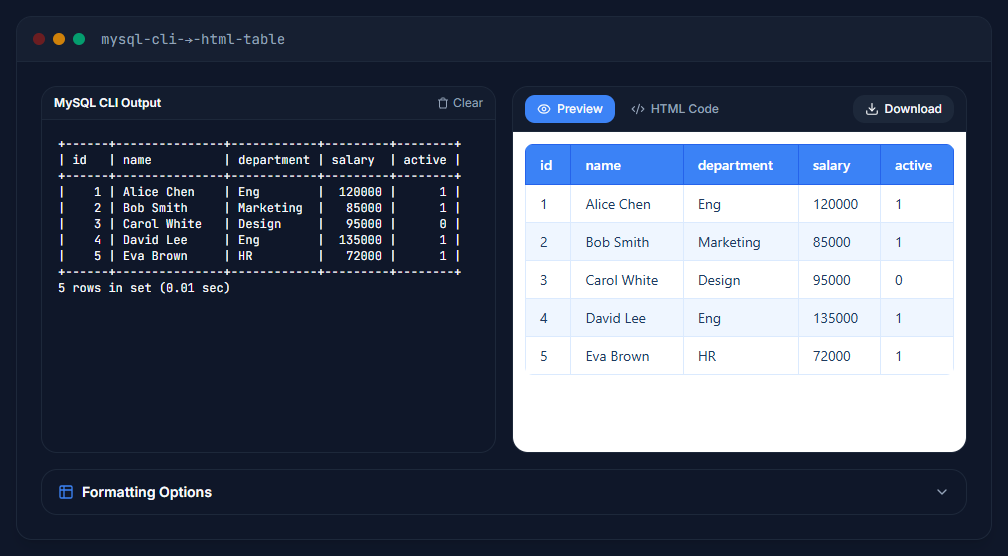
Why use it offline
Convert exports and API data that may contain customer records, without uploading them anywhere. Devy works offline on your own computer.
- Nothing you paste or open is uploaded
- Works on a plane, behind a VPN or with no network
- No ads, no sign-up, opens in a second
How to use the MySQL CLI → HTML Table
- Download Devy for Windows, macOS or Linux and open it.
- Search for “MySQL CLI → HTML Table” on the home screen, or open the Data Conversion category.
- Paste your input or open a file, then copy or save the result.
More data conversion tools in Devy
Questions
Is the MySQL CLI → HTML Table free?
It's part of Devy Tools Pro: $9 once, for all 234 tools on 3 computers. You can try it free for 14 days in the app first, and the 45 free tools stay free after that.
Does it send my data anywhere?
No. The MySQL CLI → HTML Table runs inside the Devy desktop app on your computer. What you paste or open isn't uploaded, logged or shared, and it works with no internet connection.
Which computers does it run on?
Windows, macOS and Linux. Download Devy from this site or install it from the Microsoft Store.